User Guide
You are looking at the UrbanMind user guide. Hopefully it will provide all the information required for you to use UrbanMind on your own without having to reach out for support.
Introduction
UrbanMind is, as you probably know by now, a European data space implementation. It strives to be simple to use and easy to get started with. It would also be appropriate to call it opinionated and quite minimalistic.
Even though it is generally quite generic and could be used in or adapted to various data space verticals UrbanMind is primarily a smart city data space. This means that some of its functionality was designed in such a way that it makes the most sense when used in urban environments (think visualizations, data source service selection, data models).
UrbanMind is a multi-tenant data space implementation. This means that a single UrbanMind instance can host multiple tenants that share its computational resources.
One of the main selling points of UrbanMind is that participants do not necessarily have to install anything on their premises to begin participating in the data space.
Navigation
You should be able to find your way around UrbanMind quite easily. The navigation bar is simple and does not have many layers. Some of its items require the users to have specific roles.
The navigation bar changes form on small screens - think mobile phones. Icons are replaced with text labels but their functionality stays the same.
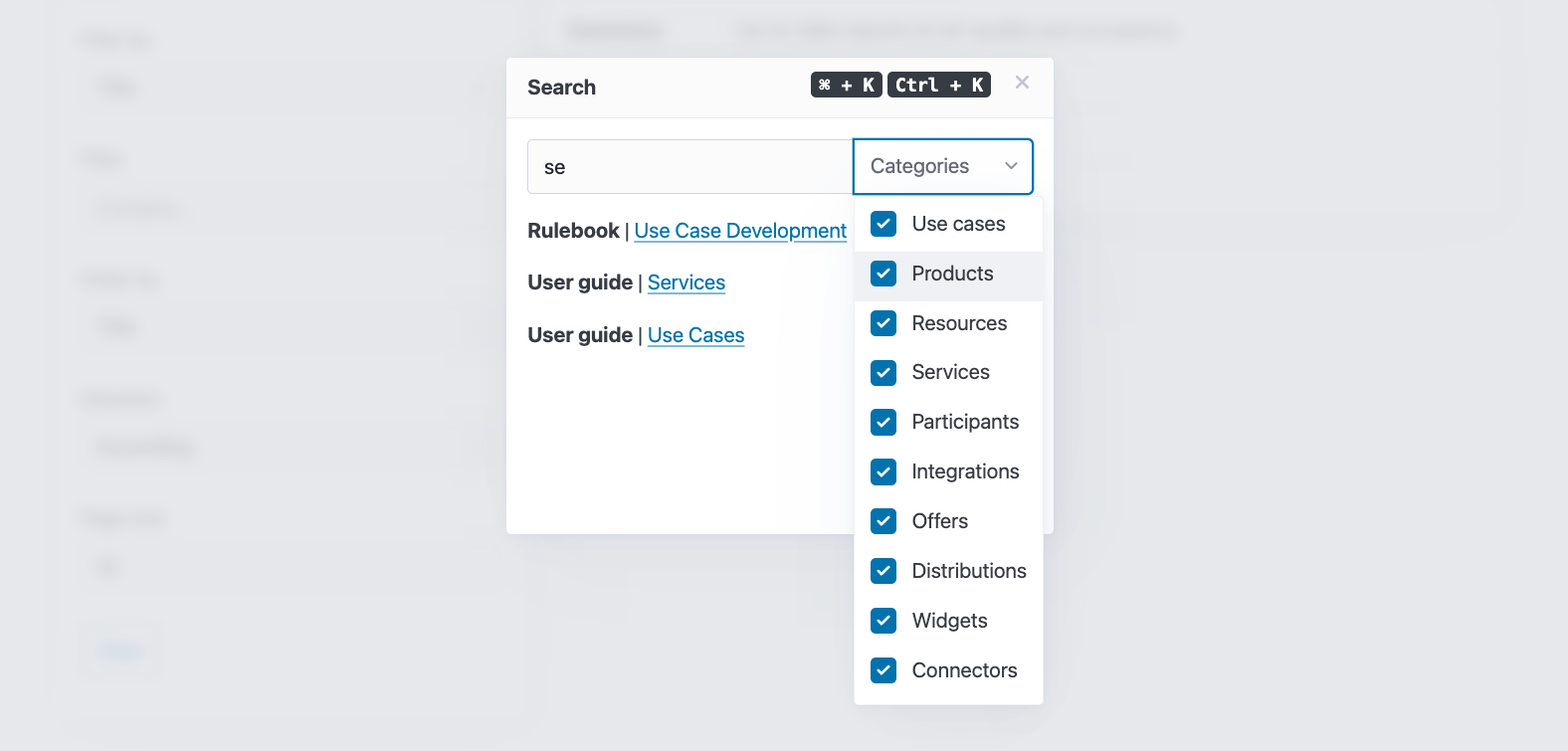
There is even a search modal (dialog) which can be opened by clicking on the button with the magnifying glass icon or by using one of its keyboard shortcuts. The modal has a category dropdown. It can be used to select which entities the search functionality should scan as it appends the results.
Results include documentation sub-sections and can also be used to quickly jump between them while reading a specific documentation page.
Search works on titles (names). Entities without a title (name) are excluded from the search and will not appear in the category dropdown.
Localization
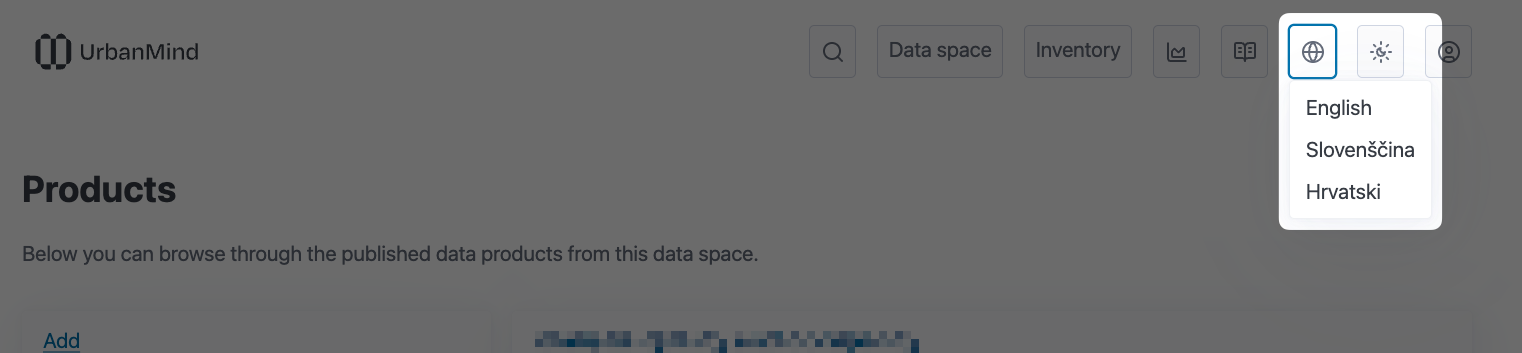
The UrbanMind web user interface is available in multiple languages. The primary language is English. Look for the dropdown with the globe icon in the navigation bar to find the list of supported languages. Clicking on a language will change the language of the user interface for the current user. The user's language preference is stored in a browser cookie. You will notice that changing a language does not affect the user entered content.
The embedded documentation is only available in English for the time being.
Internationalization
Timestamp and number encoding does not change when the language changes. Timestamps (dates) always use the UTC timezone. Time and date inputs across various forms will generally mention that the entered values are expected to use the UTC timezone.
Participants
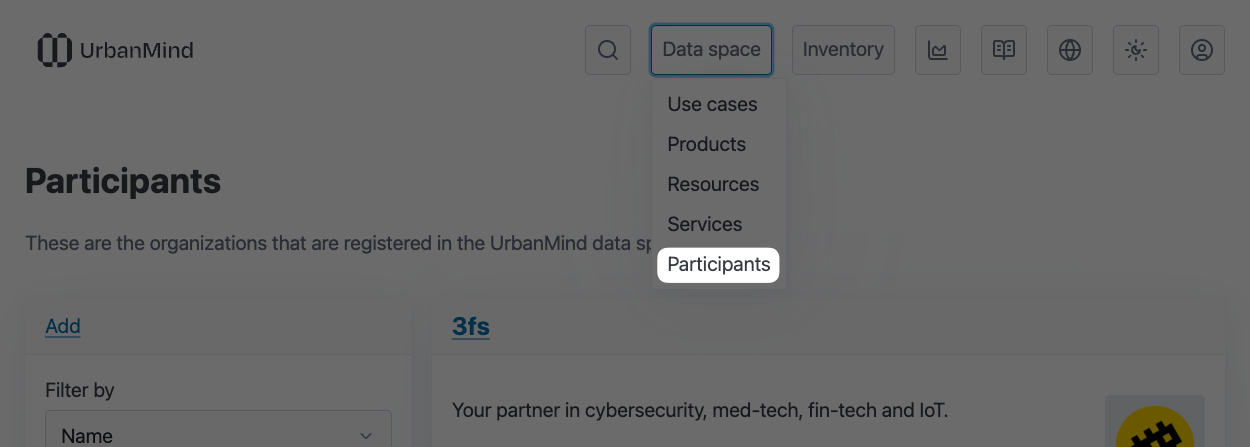
UrbanMind's tenants are, following the Data Spaces Support Centre data space blueprint, called participants. A list of all the participants in an UrbanMind instance can be found in its participant catalogue.
Onboarding
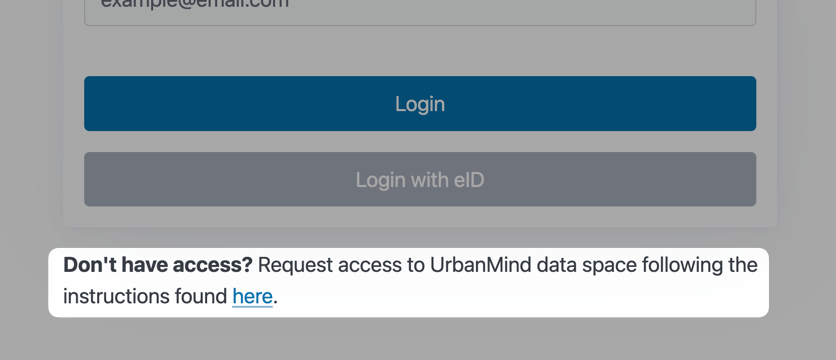
Participant onboarding currently starts with a manual action. Interested parties have to reach out to one of UrbanMind's governance authorities or operators. Instructions can be found on the access request page, a link to which can be found at the bottom of the login form.
OpenID Connect
Once a participant has been drafted they will have to create an OpenID Connect (OIDC) client for UrbanMind in their identity and access management (IAM) solution. Users with access to that client will have access to UrbanMind.
During the OIDC client creation the following URL should be whitelisted for redirects. This is the URL the participant's IAM solution will redirect the user to after a successful login flow.
After the client is created its connection details will have to be entered into UrbanMind so that a relationship can be established between the IAM and UrbanMind. This step can be performed by an operator, by a governance authority, or by the new participant themselves through a special participant setup form, a link to which they can receive on request from the operator that is handling the onboarding for them.
The information that will have to be entered is the following:
- client ID
- client secret
- discovery URL (
.well-known)
In case that you decide that an operator or a governance authority should complete this step for your participant make sure to use a secure communication channel when sharing the information, since it is sensitive and could be misused by a third party.
Roles
UrbanMind has a set of roles which get assigned to a participant during their onboarding process.
| Role | Description |
|---|---|
| Data Provider | Provides data to the data space. For example, a municipality sharing traffic or environmental data. |
| Data Consumer | Uses data obtained from the data space to build applications, run analytics, or create visualizations. |
| Participant Administrator | Manages the participant profile and access rights for their organization. |
| Governance Authority | Manages participants and enforces the governance framework. |
| Operator | Manages the overall data space. Responsible for technical configuration, onboarding, and policy enforcement. |
| Observer | Has visibility into all the contracts. |
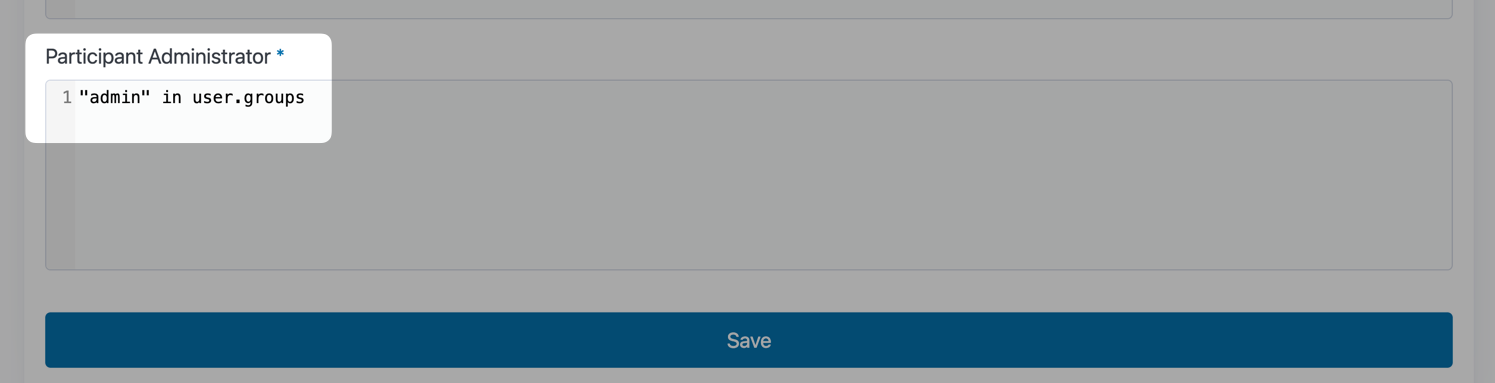
For each assigned role there is an Expr rule that can be adjusted by an operator or the participant's own administrator. By default all the users that have been granted access to UrbanMind through the OpenID Connect setup will get assigned all the roles that have been whitelisted for the participant to distribute amongst its users.
A participant's roles may change during their tenancy in the data space.
Profile
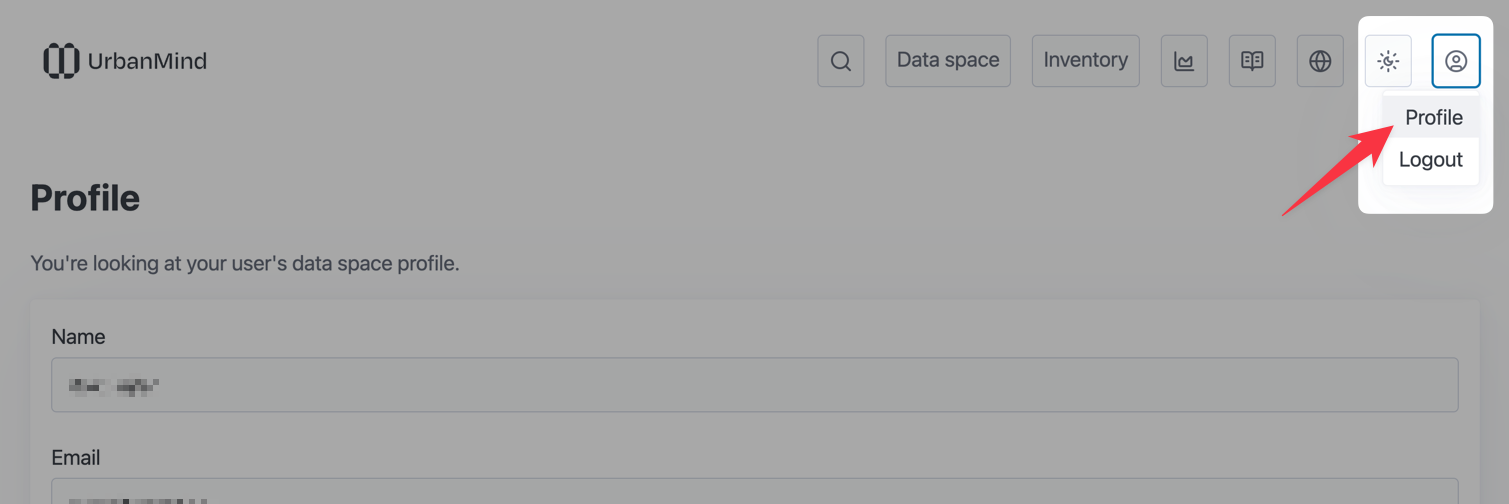
Users of onboarded participants have access to a profile page on which they can see which information UrbanMind stores about them, i.e. which email address it uses as the default for notifications, which roles they got assigned, etc.
Impersonation
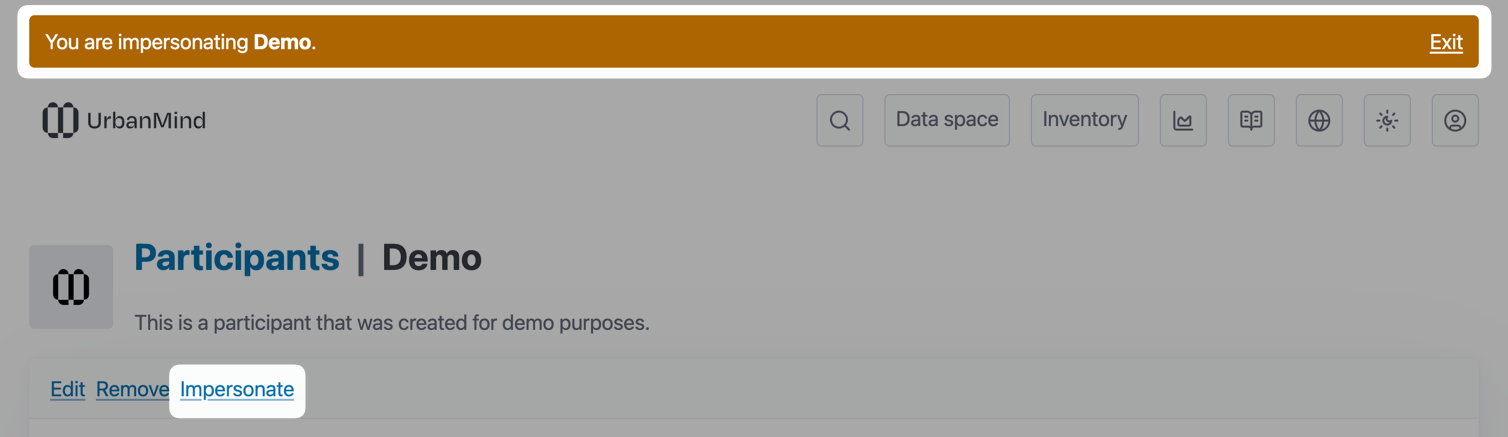
Participants with the operator role have the ability to temporarily impersonate other participants in the UrbanMind instance. Impersonation works on a participant level and not on a user level.
The functionality is meant to be used during support procedures and when a new participant is being onboarded.
It is properly audited and should not be overused, but there are cases where it will be the most sensible solution to a problem.
Services
Unlike some other data space implementations, UrbanMind does not let its participants offer arbitrary services to other participants in the data space. Instead, all services that are listed in the service catalog are offered by UrbanMind itself.
The offered services primarily work as data source adapters. Let's say that a participant has a PostgreSQL database and would like to expose a subset of its data through UrbanMind - they would instantiate the PostgreSQL service which would produce a reusable service integration.
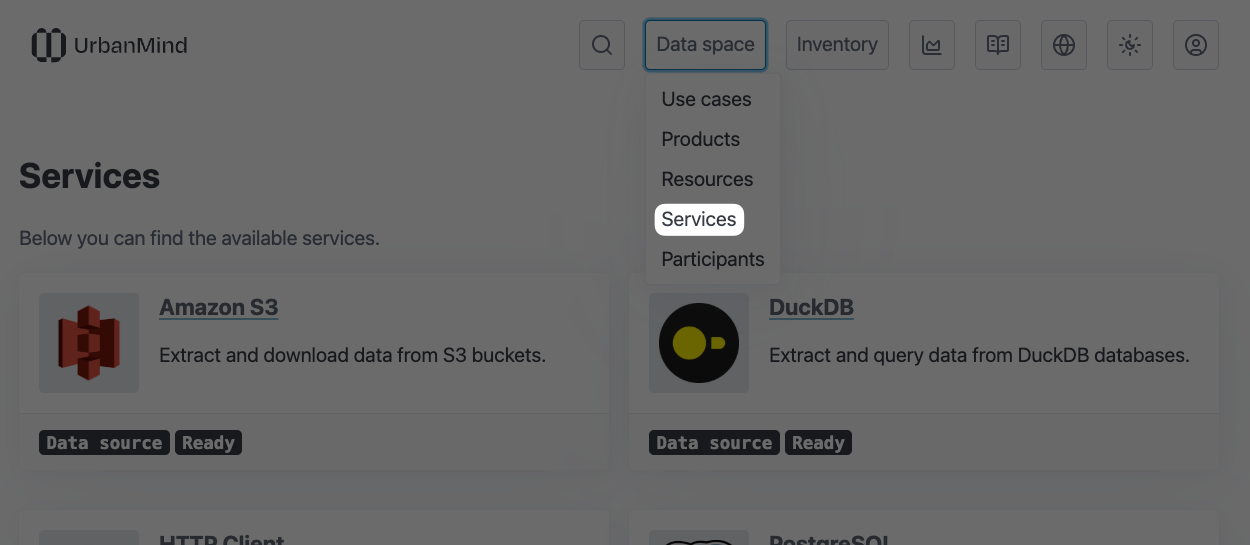
Note: Participants can request the development of additional service adapters by contacting the UrbanMind developers through the support form or by sending an email to the support email address.
Service Integrations
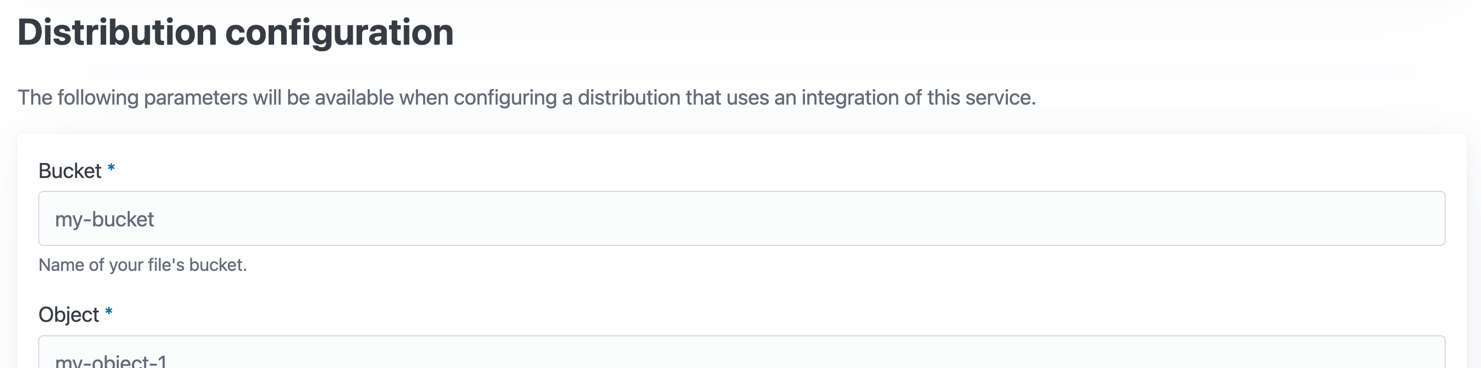
The majority of services have two configuration forms, one for the service itself and one for resource distributions. You can find out more about resources and their distributions in the sections below.
The service configuration (integration) form is used to collect all the service specific information required by UrbanMind to be able to interact with the service. This includes various types of service URLs, ports, headers, authentication, and authorization information. Basically anything that will be common to all the resource distribution configurations that will use the same service integration.

The service related subset of the resource distribution form is there to collect the rest of the information, which is unique to specific resources of the service (i.e. endpoints, buckets, tables). You can expect to be required to enter things like SQL queries and query parameters.
Resources
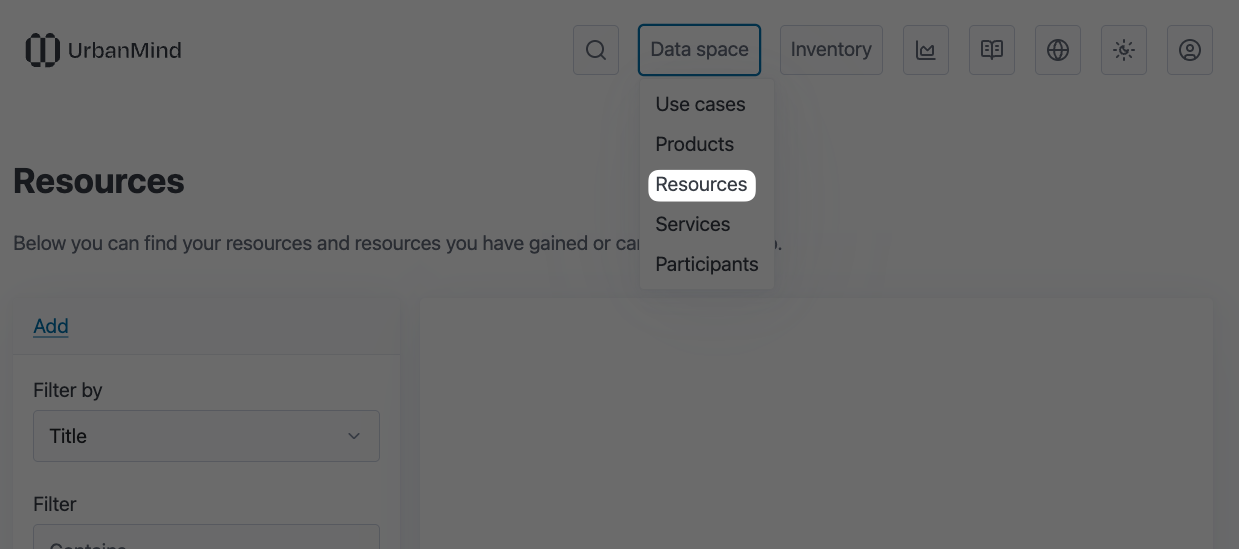
A lot of flows within UrbanMind revolve around resources. From the perspective of DCAT UrbanMind's resources correspond to the dataset entity. Resources can therefore represent a lot of things.
Examples:
- Everything related to a specific project can be packaged into a resource.
- A resource can represent the data from one's account in some application (service).
- A resource can be a collection of documents.
Resources are the main building block of products, which are described in their own section below.
Distributions
Each resource can have one or more distributions. Distributions in UrbanMind correspond to distributions in DCAT.
The idea behind them is that the data relevant to a resource can be held on different storage locations and in different formats. It can use different data models, have different access policies, and so on.
Distributions can also represent different sample sizes (subsets) of the same data, be it split by time, geographical area, or anything else that can be used to divide data into sensible chunks.
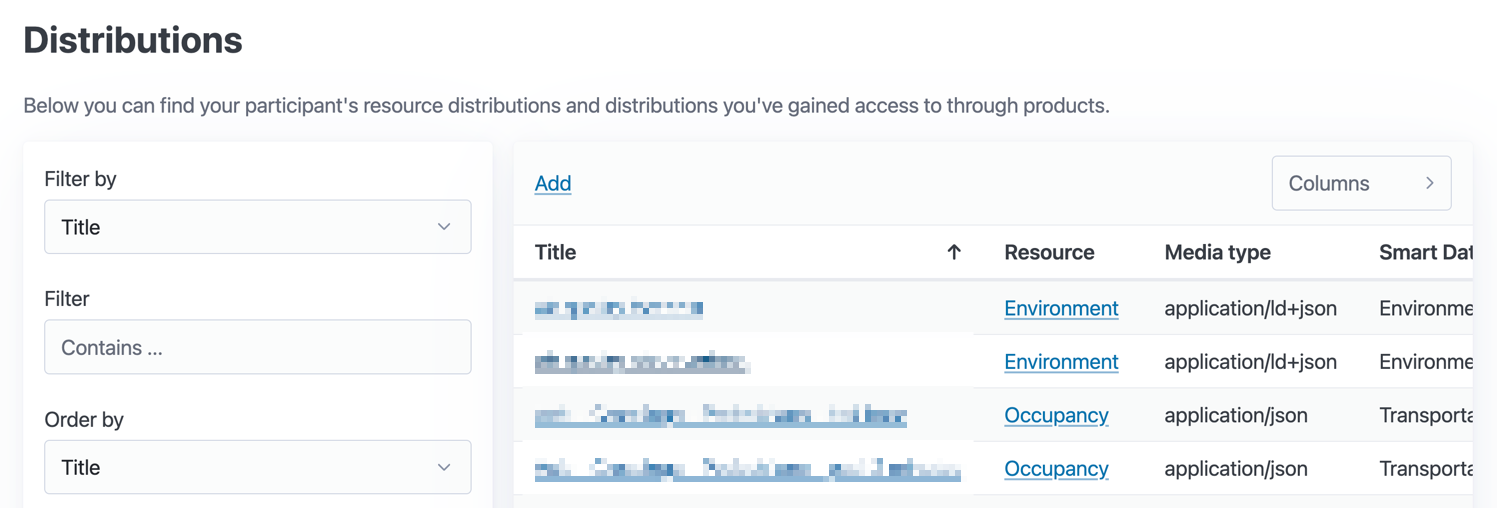
Distributions can use service integrations (recommended). Because service integrations are tied to distributions instead of resources a resource can include data from multiple different data sources.
A distribution without a service integration can not be consumed by UrbanMind. From UrbanMind's perspective it is merely a listing in its catalogue. Such distributions can not be exported or used (imported) within UrbanMind's use case functionality. For distributions without a service integration the provider needs to configure an access URL through which the consumer will be able to request access to the data outside of UrbanMind.
Smart Data Models
UrbanMind uses and promotes the use of Smart Data Models. They are integrated into its resource distribution layer and into the DuckDB storage layer that is behind use cases.
When creating a distribution participants are encouraged to pick a Smart Data Model. If a Smart Data Model was picked for the distribution together with a variant of JSON for the media type the data will be validated against its JSON schema after the ingestion into UrbanMind. Invalid data will be discarded.
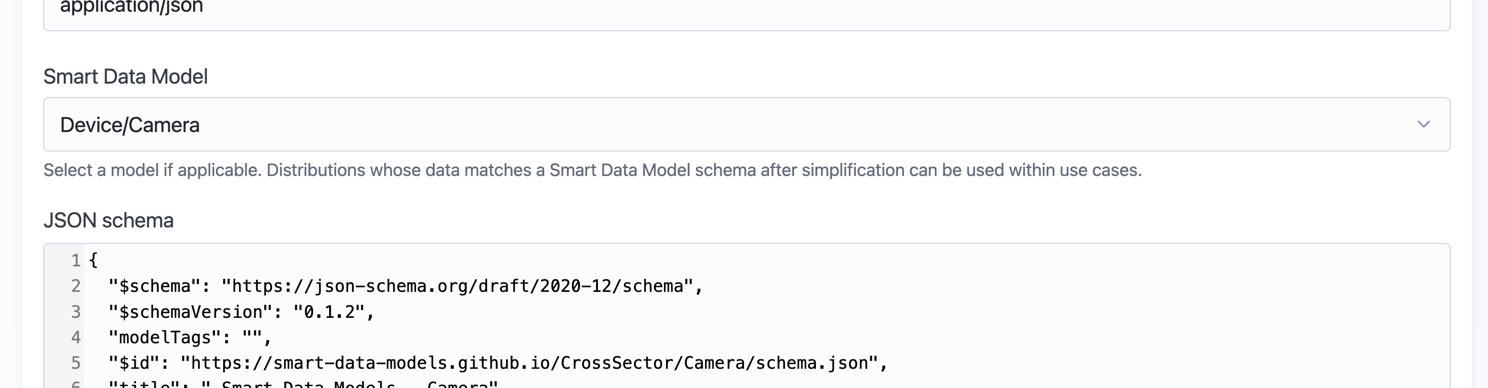
All Smart Data Models also have a official SQL schema file which is used by UrbanMind's use case DuckDB instances. Schemas are applied as migrations to each DuckDB instance at the creation of a use case. Data from distributions that have assigned Smart Data Models will be inserted into the appropriate Smart Data Model tables. Each Smart Data Model has its own table in the use case's DuckDB database and models are divided into schemas (namespaces) in the same way as they are grouped on GitHub.
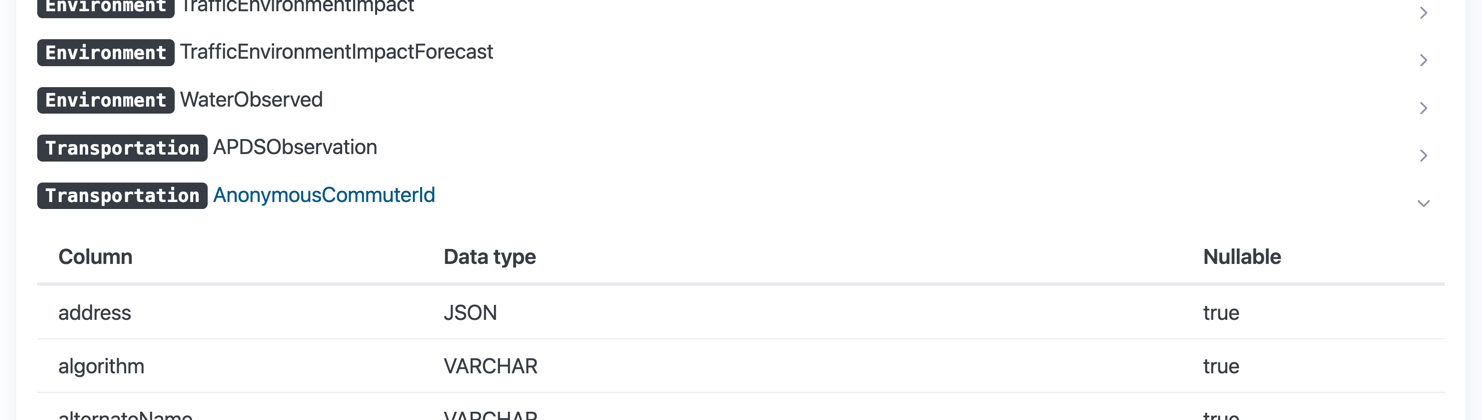
In case that the service that was selected as the data source for the distribution does not provide the data in valid Smart Data Model format the user can use the embedded jq preprocessing engine to mold the data into a compatible shape.
Products
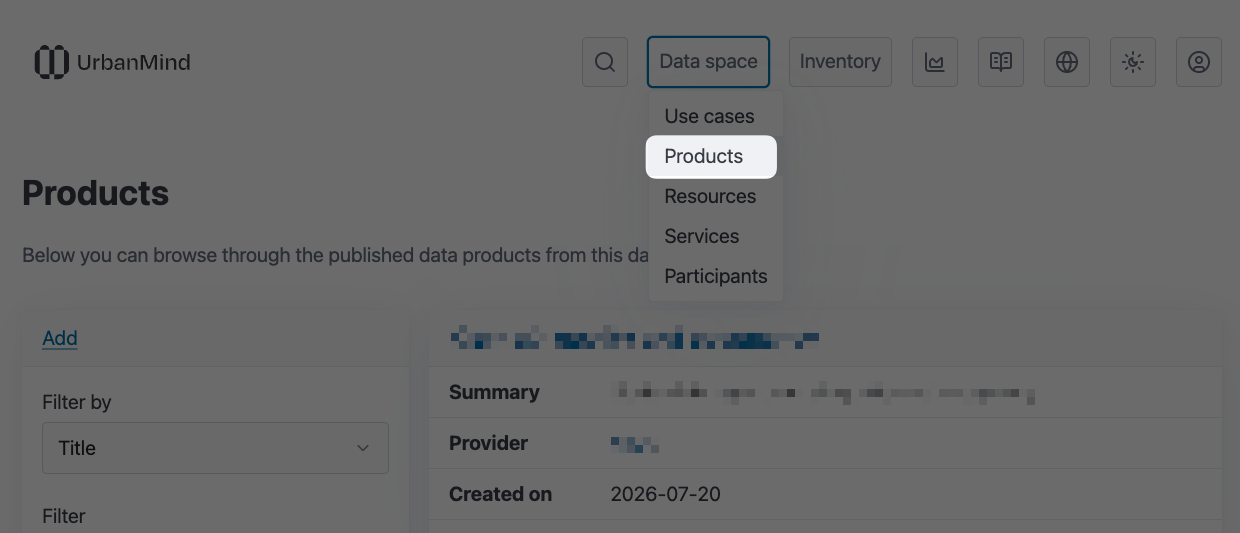
Products are, in addition to individual resources, vessels for sharing resources among participants of the UrbanMind data space. From the perspective of DCAT they correspond to the dataset series since resources correspond to datasets. Products could be considered the main building block of UrbanMind's data catalogue.
They are primarily a container entity and don't have much value on their own. They hold the metadata that makes a set of resources discoverable.
A participant can have zero or more products. In case that a participant uses UrbanMind exclusively as a digital twin and not as a data space they might not find the need for products at all, since they are only meant for sharing and exposing data.
Offers
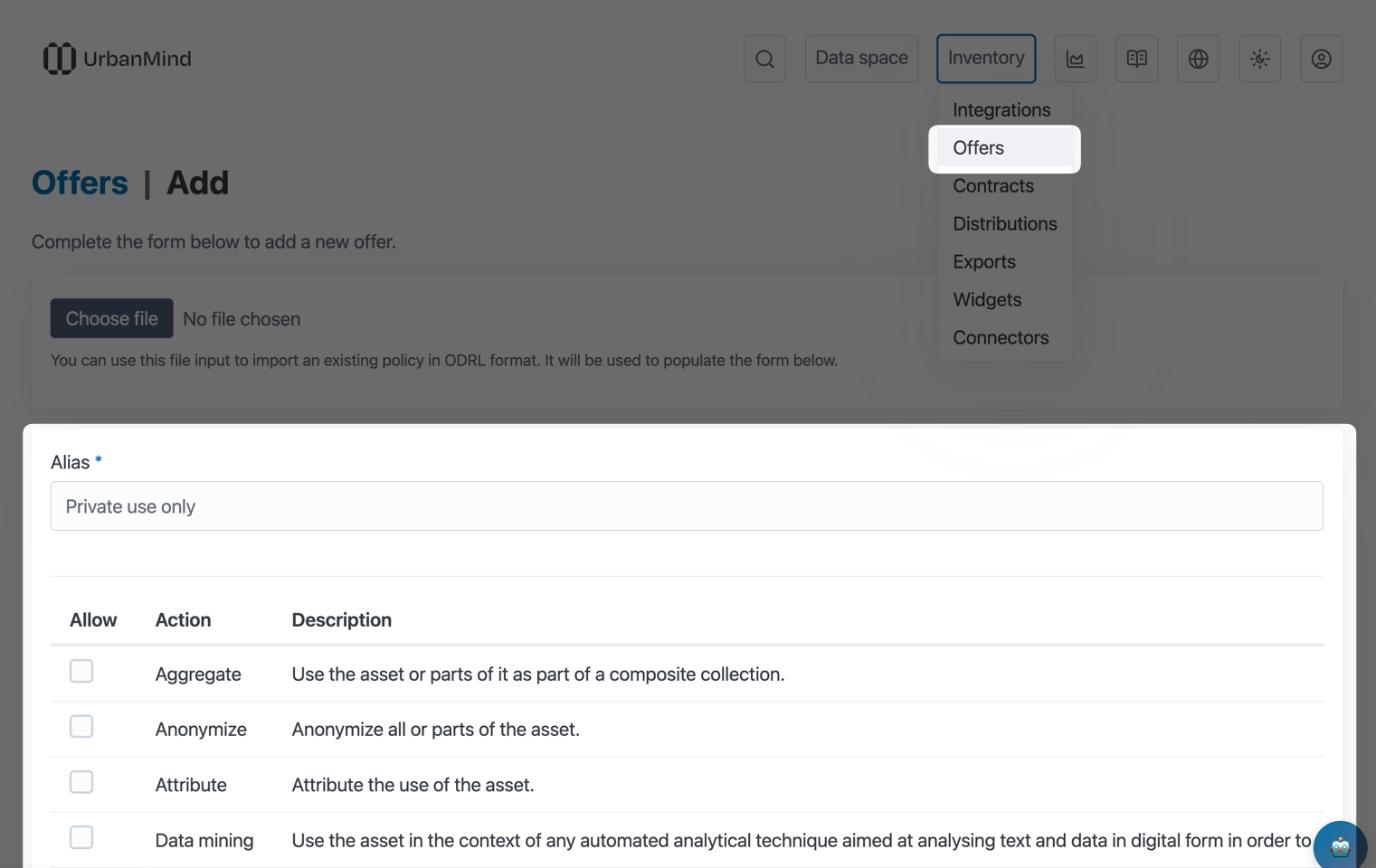
Offers express and control what a consumer of a resource or set of resources can do after they have gained access to them after a contract negotiation. The same offer can be used by multiple resources and products.
Offers contain policies which are modeled after and encoded in ODRL. Offers are ODRL policy wrappers that act as reusable templates that are meant to be attached to resources and products. UrbanMind uses ODRL's Core and AI vocabularies (profiles).
ODRL policies are evaluated using an embedded OPA engine. Authorization checks for some of the operations within UrbanMind require specific actions to be part of the permission list in the policy.
Contracts
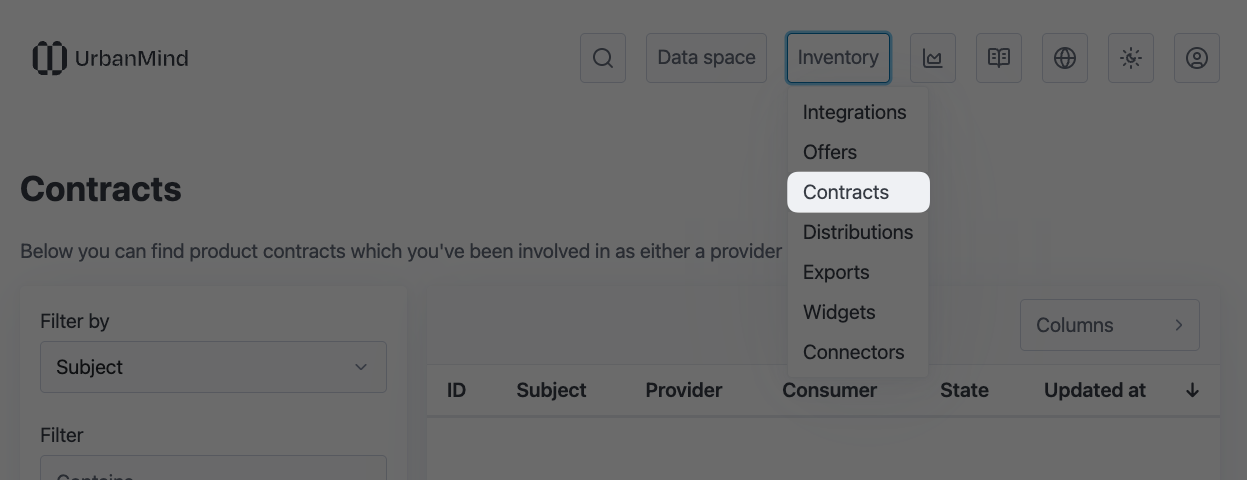
When a participant with the consumer role would like to obtain access to another participant's resources they have to request access to a product that contains those resources or to each resource individually. This will begin a contract negotiation process.
The obtainment form will present the consumer with the provider's usage policy offer that was assigned to the product or resource. The consumer will have the option to request changes to the policy. It is up to the provider if they accept the contract with the updated policy.
The provider will be notified about the new contract negotiation request over email. As long as the contract is active the consumer will have access to the resources according to the negotiated policy.
UrbanMind's contract negotiation flow implementation follows the state machine from the Dataspace Protocol.
Transfers
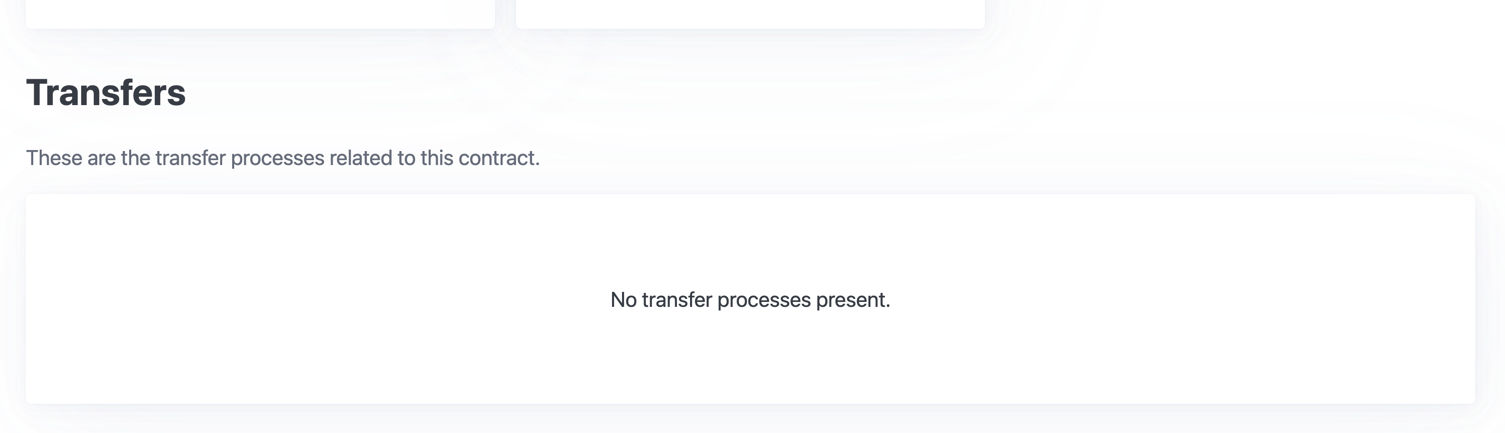
The Dataspace Protocol has another entity that UrbanMind supports (partially for now) - transfer processes or transfers for short. Finalized (negotiated and ongoing) contracts will show past and present data transfers at the bottom of their page.
Please note that right now transfers are limited to data transactions that have been initiated through the Dataspace Protocol HTTPS binding API. Eventually all the data transactions relevant to a specific contract will have their own transfer entry.
Use Cases
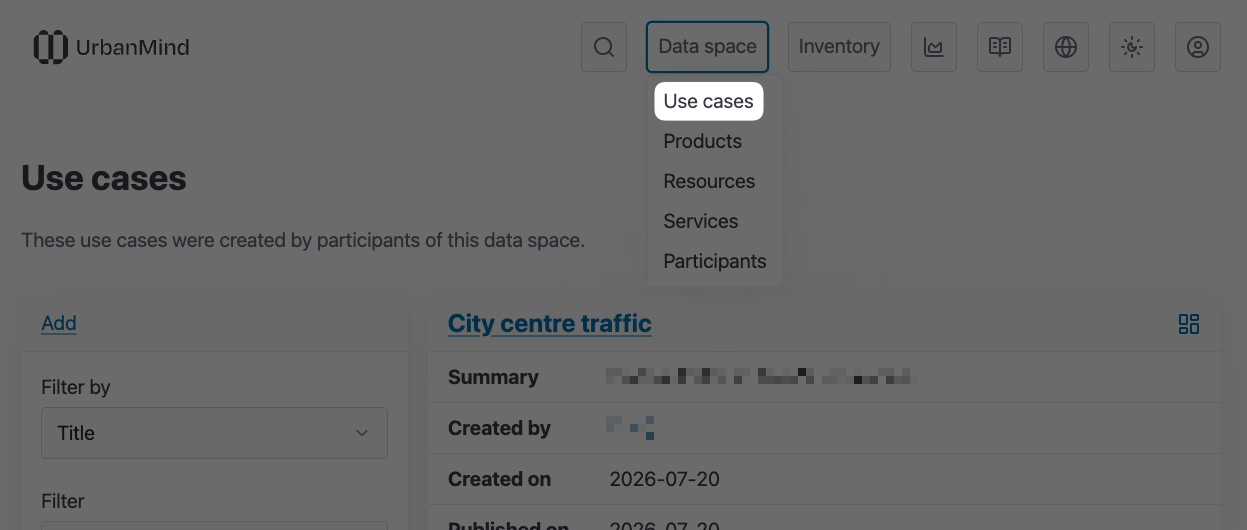
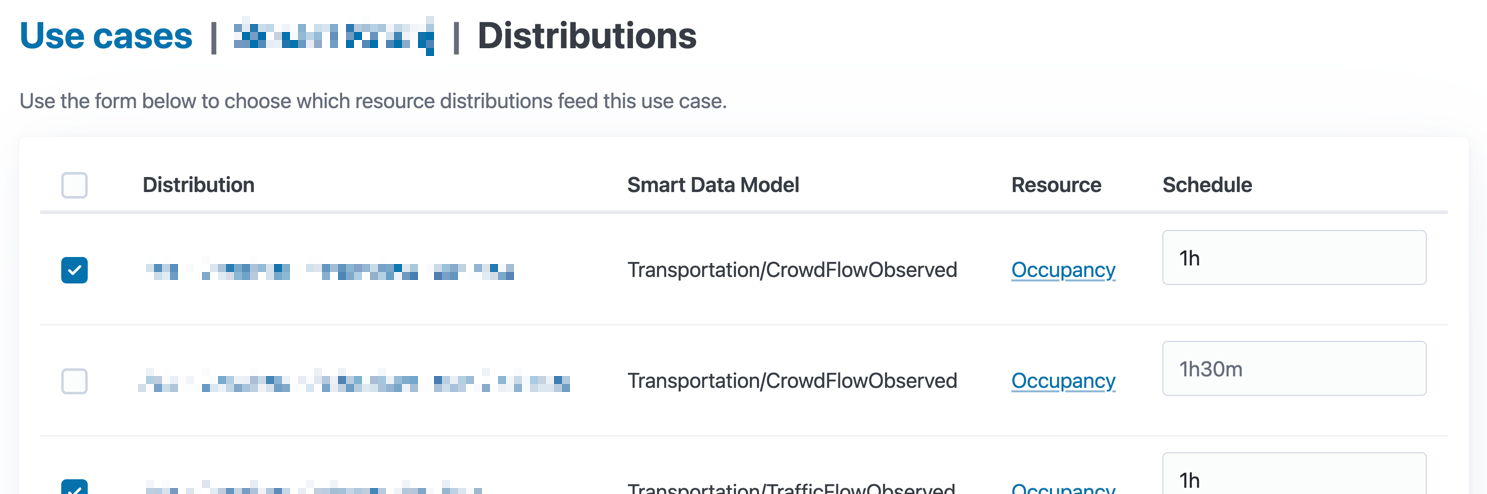
Use cases are projects to which you attach accessible resource distributions. You select distributions data of which will be pulled into the database of a use case (DuckDB). The data is pulled in when the distribution is attached and can be periodically refreshed (existing data updated and new data inserted).
Widgets
The main idea behind use cases is that you collect the data of interest in a common data store, which you can then query against - explore, analyze, and create visualizations.
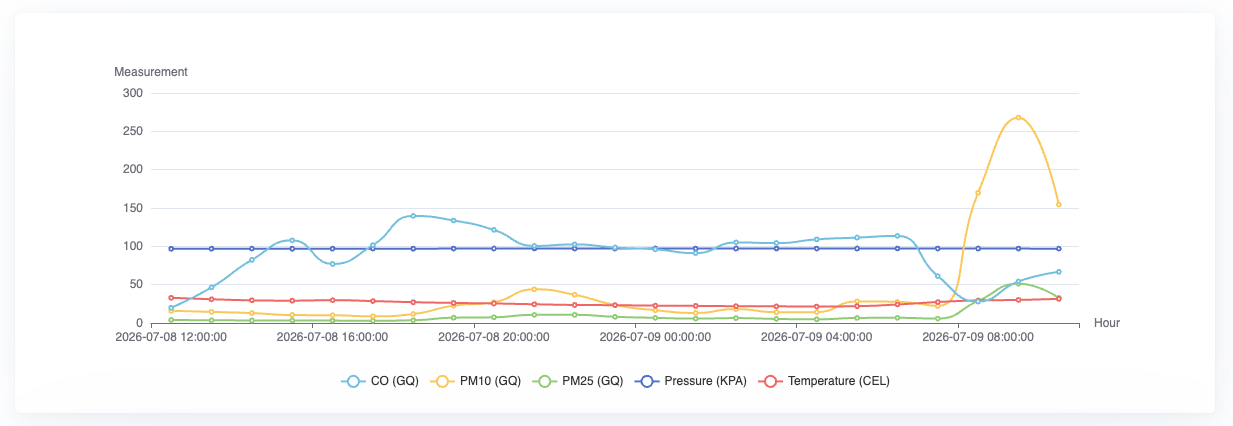
For visualizations UrbanMind's use cases provide the concept of widgets. Widgets include various types of charts and tables for more dynamic data exploration.
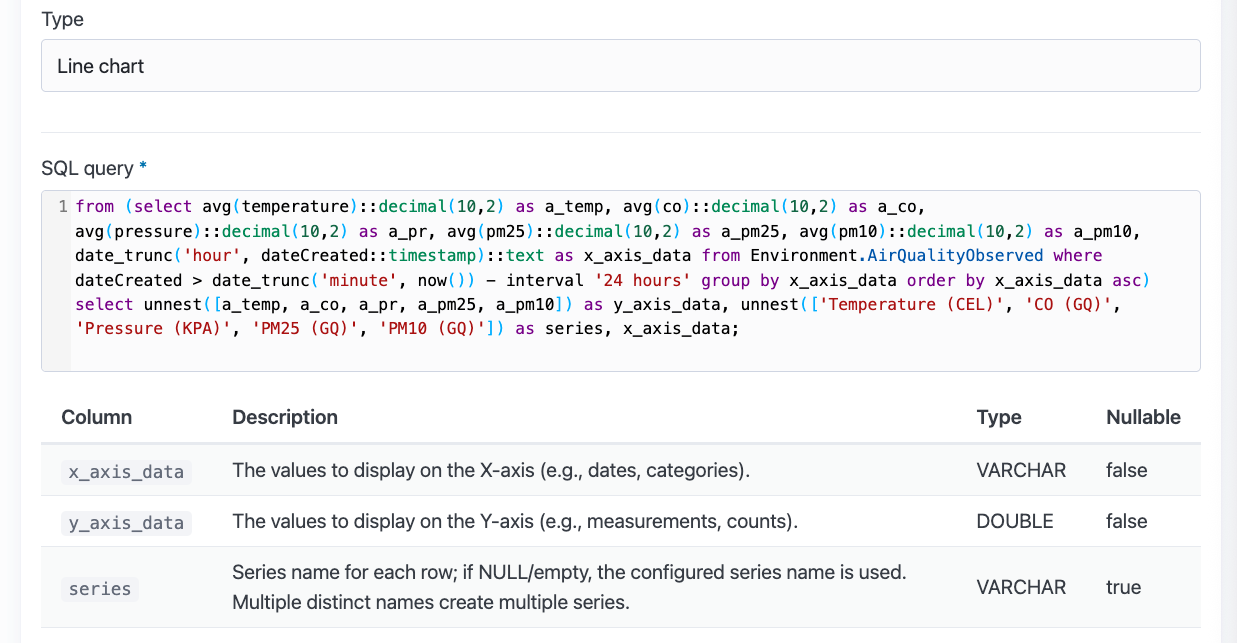
At the core of each widget there is an SQL query. Each widget expects a specific set of columns to be returned for the query. The expected columns can be found below the SQL query input in the widget management forms and when viewing a single widget.
For details and possibilities refer to the official DuckDB documentation and the storage page of each individual use case - the database schema can vary, depending on when the use case was created. You are also encouraged to take a look at existing use cases and their widgets for reference. The chatbot has an SQL query mode as well. It should be able to assist you with writing simpler queries - produce them from natural language and offer interpretations of the data.
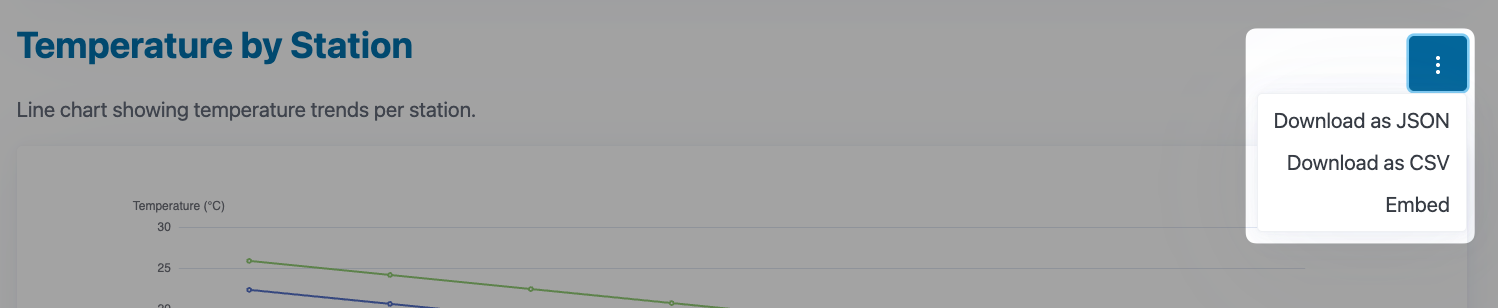
Data that is returned by SQL queries behind widgets can also be conveniently downloaded. Multiple file encodings are available.
Embedding
Widgets can also be embedded in websites. Clicking on the embed option in the widget menu (dropdown) will redirect the user to a URL, which can be used inside an <iframe> on an external website to show the widget with the filters that were applied within UrbanMind at the time the link was generated. The URL goes into the src attribute of the iframe element. The widget will adapt to the size (width, height) of the element.
<iframe src="..." width="500" height="400"></iframe>
In case that the SQL query for the widget is written in such a way that the filter parameters are optional they can be omitted from the URL. Alternatively, they can also be dynamically generated by the website embedding the widget as an alternative to UrbanMind's filter modal, which is not part of the widget itself, and therefore is not available in the embedded mode.

Embeddable widgets are subject to the same authentication requirements as regular widgets. What this means is that when embedded only users that would have view access to the widget in UrbanMind will have access to it outside. Generally you will therefore want to publicly expose use cases whose widgets will be embedded so that authentication will not be required.
Extensions
DuckDB has the concept of extensions, which extend its core functionality. There are official extensions that are maintained by the DuckDB engineers and there are community extensions.
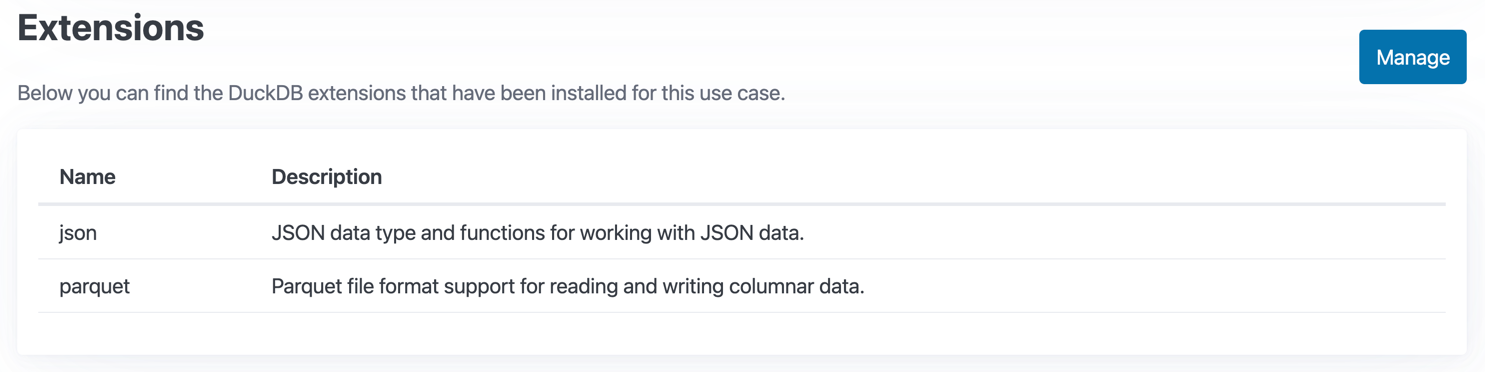
We've hand-picked a few of the extensions that we found relevant for UrbanMind and made it possible for them to be installed per use case. Each use case has its own isolated extension directory. Check the bottom of the page when you are looking at an individual use case.
Some of the extensions are installed by default when a new DuckDB instance (use case) is created. Extensions can not yet be removed.
Jobs
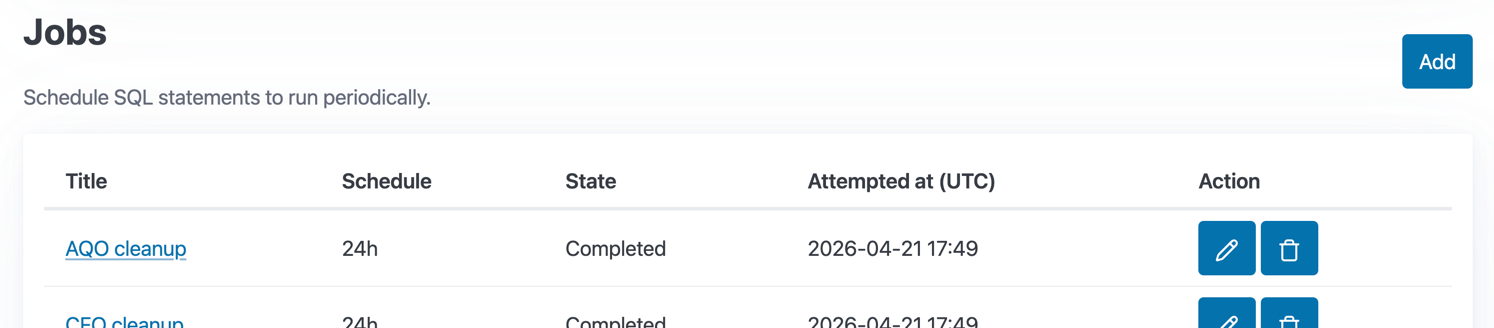
Use cases also have a job concept. These are periodically executed SQL queries which can be used for things like maintenance (removal of irrelevant data) and forecasting.
Storage
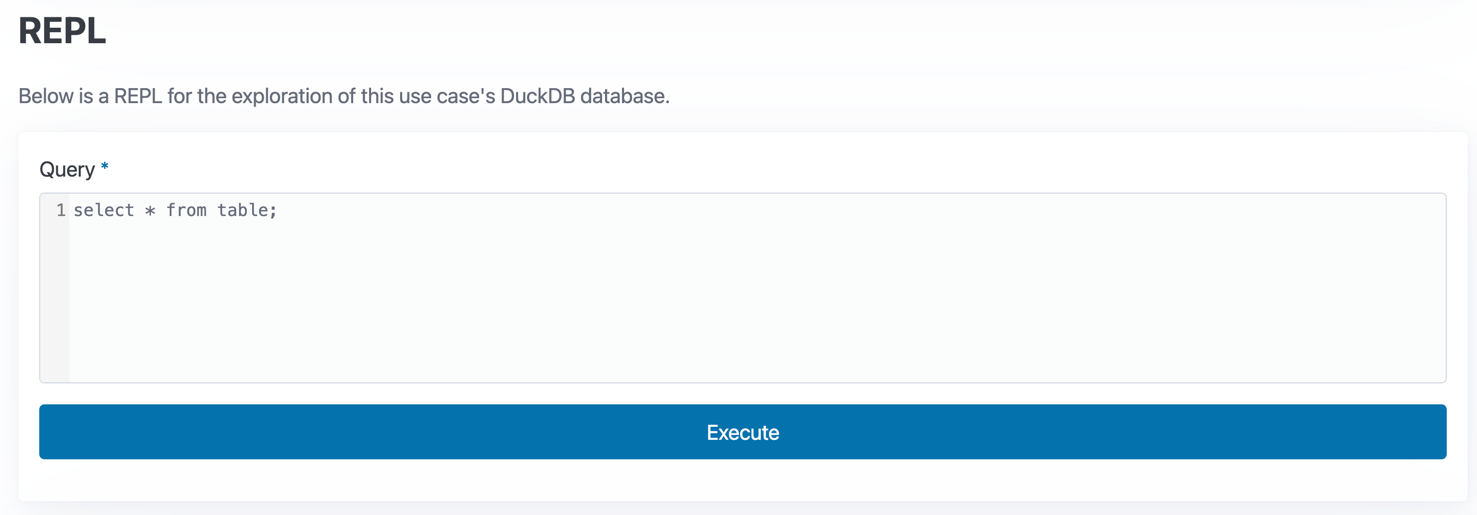
At the top of the use case you should also be able to find a link that is pointing to its storage page. The storage page contains information about the database itself (size on disk, schema, etc.) and a read-eval-print loop (REPL) form, which can be used to explore the data stored in the DuckDB instance powering the use case.
Dashboards
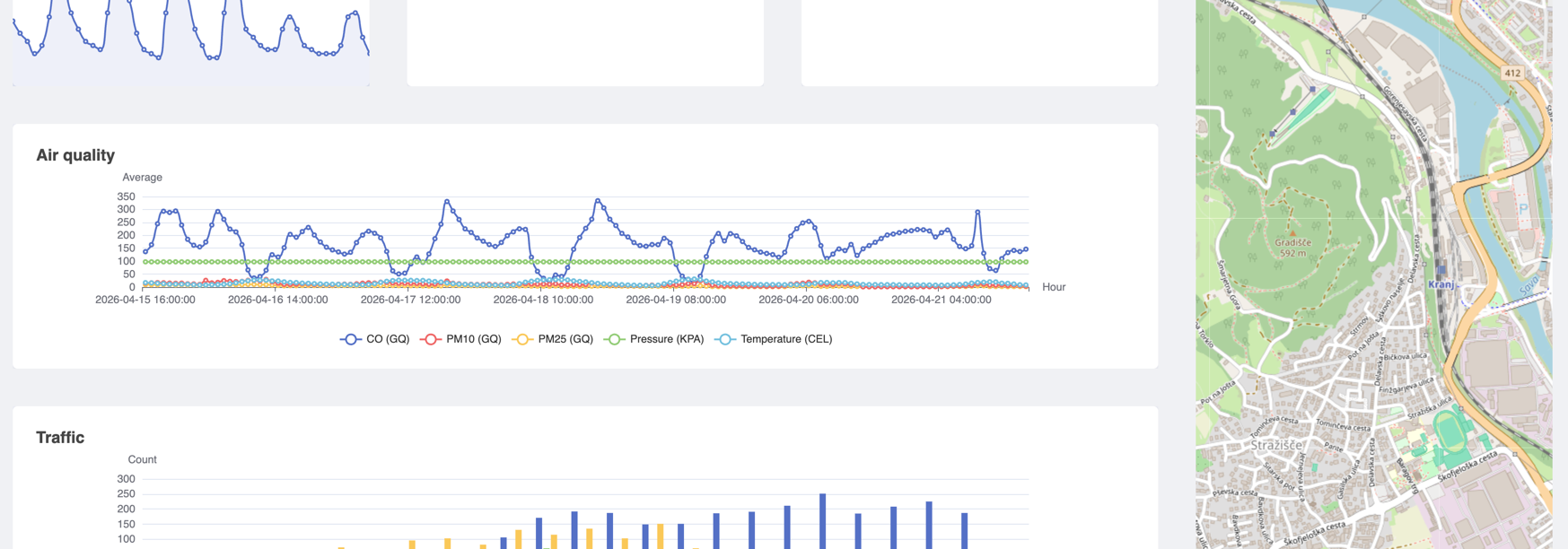
Each use case that you create automatically gets a dashboard displaying all its widgets in a grid layout. The layout can be customized and the customizations are persisted for everyone to see. Layout changes currently affect all the users of the dashboard. Widgets can be arbitrarily positioned and resized. They wrap into a single column on smaller screens.
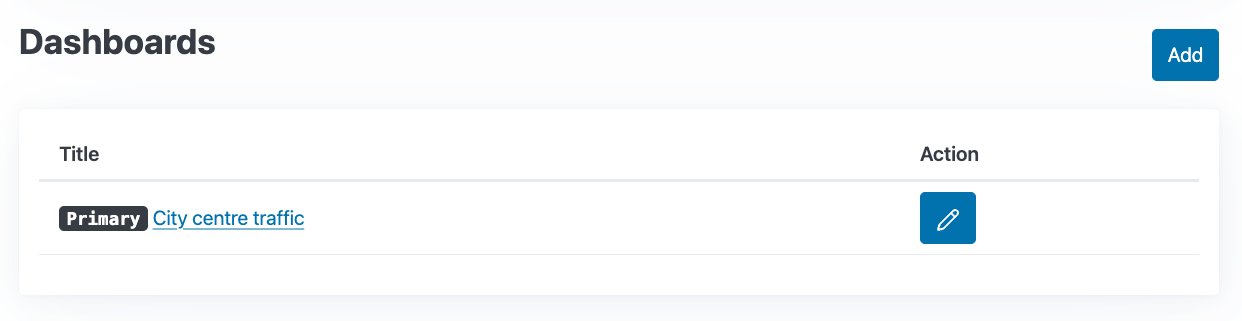
Each use case can have multiple dashboards. The dashboard that is created by default can not be removed. It also acts as the primary dashboard, a link to which can also be found in the use case catalogue.
Filters
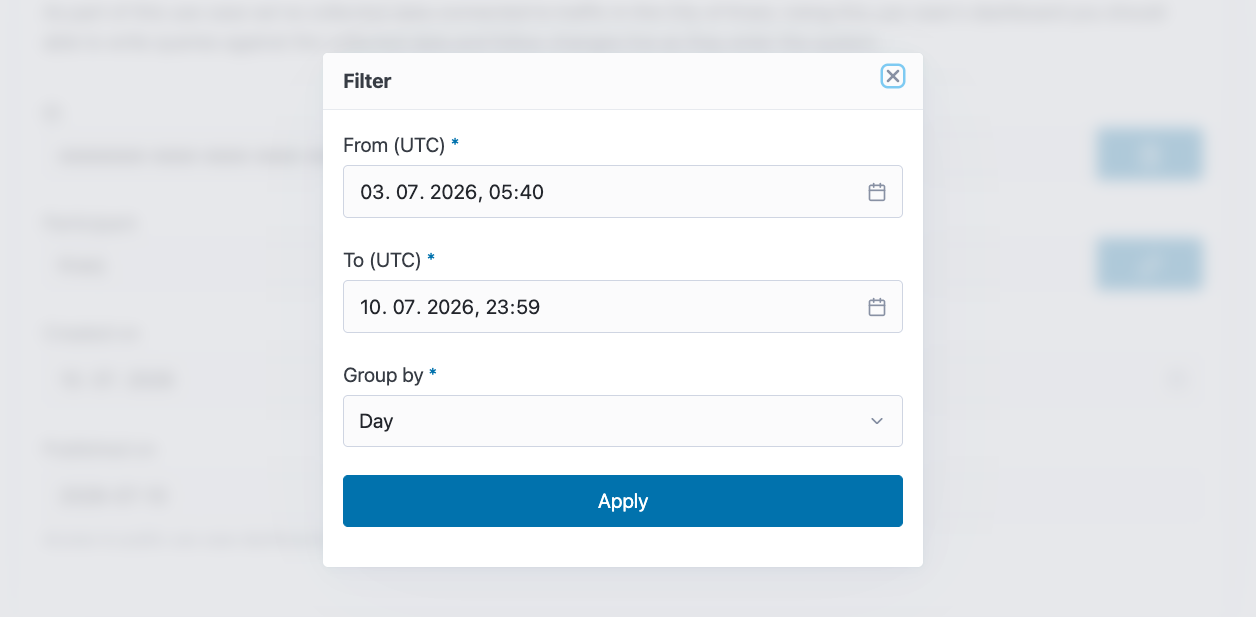
In the navigation bar you should be able to find a button that opens a filtering modal for widget SQL queries. It should appear on the use case page, on dashboards, and when viewing a single widget.

The filters map to named parameters in SQL queries, which get replaced by the value from the filter.
| Filter | Placeholder |
|---|---|
| From (UTC) | $from |
| To (UTC) | $to |
| Group by | $group_by |
Please note that the filters will have no effect on widgets that do not use them.
Visibility and Audience
Products are marked as private at their creation. This means that other participants will not be aware of their existence until the product owner decides otherwise. Additionally, products can only be exposed to a subset of the participants of an UrbanMind instance. This is done through the product audience functionality. Only whitelisted participants will be able to instantiate a contract for a private product. The same is true for resources.
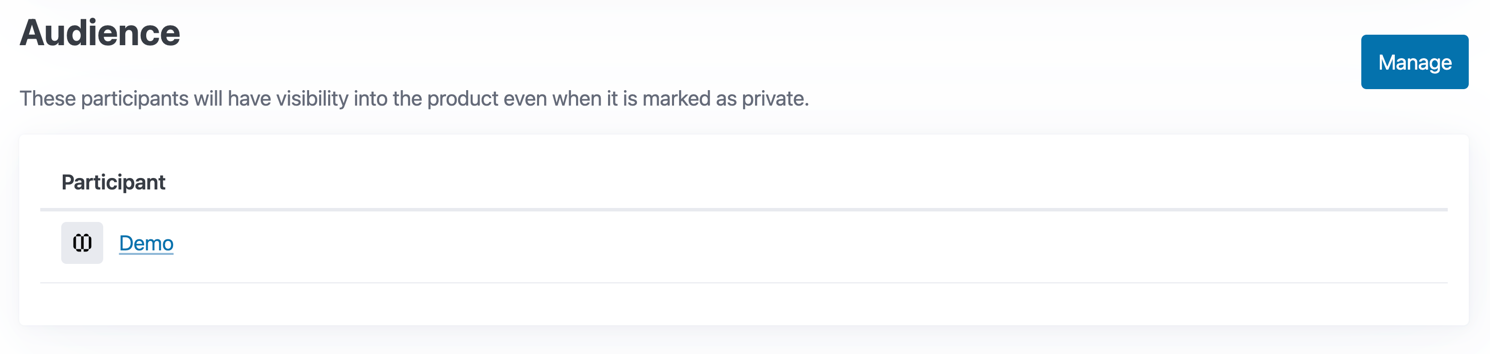
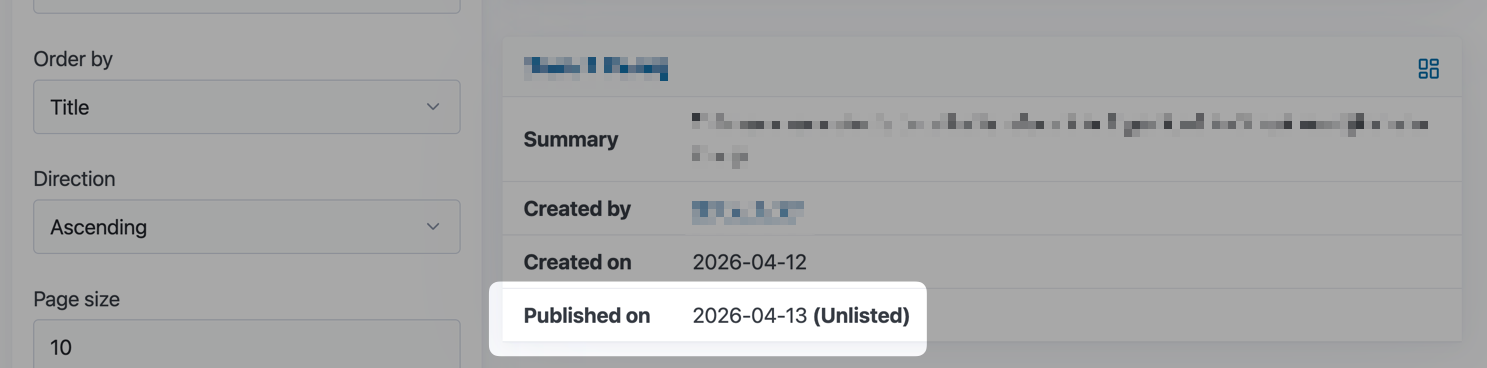
Similarly to products and resources, use cases have an audience concept as well. It serves the same purpose. In addition to that use cases can be marked as unlisted. Unlisted use cases are publicly accessible but will not appear in any of UrbanMind's catalogue interfaces to everyone but users of the participant that created them.
Exports
Some of the data that flows through or is held by UrbanMind can be exported and downloaded. This happens through a concept we've named exports. You can find all your participant's exports on the export page, a link to which can be found in the inventory dropdown in the navigation bar.
Right now the following entities support the export functionality:
- distributions
- resources
- use cases
In case that your user has the required permissions you should be able to find an export button near the top of the page when you are looking at an individual instance of the mentioned types.
Exports are asynchronous. What this means is that you can initiate the export process and walk away (work on other things) and UrbanMind can notify you (email) once the export is complete.
The exported data will be packaged in a ZIP archive. You should be able to find a download button for the archive on the export page. A link to the downloadable archive will also be sent to you in the mentioned notification email if it was entered during the creation of the export.
Exports are valid for an hour, after which they are marked as expired and the archive is removed.
Connectors
Please note that the connector functionality of UrbanMind is still being heavily worked on and should be considered experimental.
The idea behind data space connectors is that a participant installs one or more services on their premises which allow them to participate in a data space. Those services make up a data space connector. Different data space implementations have different connector implementations, which are not necessarily compatible between each other.
UrbanMind itself will eventually work as a connector, which will allow it to be plugged into other UrbanMind instances (federation, composition, clustering) or even other data space implementations.
API
In addition to the hypermedia API that powers the UrbanMind's web user interface UrbanMind also has a JSON API, sometimes called a REST API, which exposes some of its functionality in a more machine (automation) friendly format, enabling machine-to-machine (M2M) communication. The idea behind its JSON API is that clients can retrieve data and metadata from UrbanMind without using its web UI. This lets anyone with access to UrbanMind's JSON API build their own solutions around it, such as federated catalogue solutions, ETL pipelines that use UrbanMind as a data source, etc.
A link to the OpenAPI specification can be found in the documentation dropdown in the navigation bar.
Authentication
Some of the API endpoints require the user to provide a bearer token and the ID of the participant. The majority of the endpoints will work without authentication, authenticated requests will frequently unlock additional functionality though, like enabling access to entities that aren't publicly accessible.
The bearer token header (Authorization: Bearer ...) needs to always be complemented by a X-Participant-ID: ... header.
The X-Participant-ID header will not do anything on its own, it is only there for token validation purposes. In case that a
token has access to multiple UrbanMind participants (multi-tenant IAM setup) the X-Participant-ID header can be used to
select the participant the token should represent in a specific HTTP request. UrbanMind will attempt to validate each token
with client-side JSON Web Token (JWT) validation before falling-back to full token introspection.
UrbanMind's API authentication layer has one additional requirement - the audience claim list (aud) needs to contain an entry
with the ID of the participant that is making the request. I.e. if the mentioned X-Participant-ID contains the value
8b33dc9c-017e-4330-89f1-36ad45543939 then the aud claim needs to contain that value as well.
NGSI-LD
UrbanMind has its own catalogue implementation that was modeled after DCAT-AP. In addition to the web UI the catalogue is also exposed through a read-only subset of the NGSI-LD API using standardised DCAT-AP entities.
The NGSI-LD API implementation is embedded into UrbanMind itself and is part of its JSON API. The endpoints currently demand the
simplified payload format and the application/json media type (Accept HTTP header) where applicable.
Please note that the NGSI-LD API is currently limited to UrbanMind's catalogue but there is ongoing work that will extend the API to use cases, exposing the Smart Data Model data through a NGSI-LD interface.
Dataspace Protocol
The JSON API also includes a partial implementation of the Eclipse Dataspace Protocol HTTPS binding - the catalog subset.
The Eclipse Dataspace Protocol does not yet support multi-tenant connectors, therefore UrbanMind implements a connector per participant. The .well-known version endpoint which returns a list of connectors can be (following the standard) found at .well-known/dspace-version.
DuckDB API
In case that one would like to execute arbitrary SQL queries on a DuckDB instance behind a use case and would like to do it in a way that can be used in an automated way (M2M communication) UrbanMind also provides a query interface wrapper which is part of its JSON API. This is an alternative to the REPL on the use case storage page. In case that a use case is marked as public the interface is publicly accessible. The database connection used for these queries is limited to read-only mode and a lot of the DuckDB functionality is disabled to prevent abuse.
Here is an example of a query using HTTPie as the HTTP client:
http -A bearer -a $(http -f -a 'urbanmind-api-client:urbanmind-client-secret' POST 'https://authelia.3fs/api/oidc/token' grant_type=client_credentials | jq -r '.access_token') POST 'https://urbanmind.3fs/api/v1/use-cases/019dab25-47b7-782f-92ec-d75694f500b4/query' query="describe Environment.AirQualityObserved" "X-Participant-ID:11111111-1111-1111-1111-111111111111"
Documentation
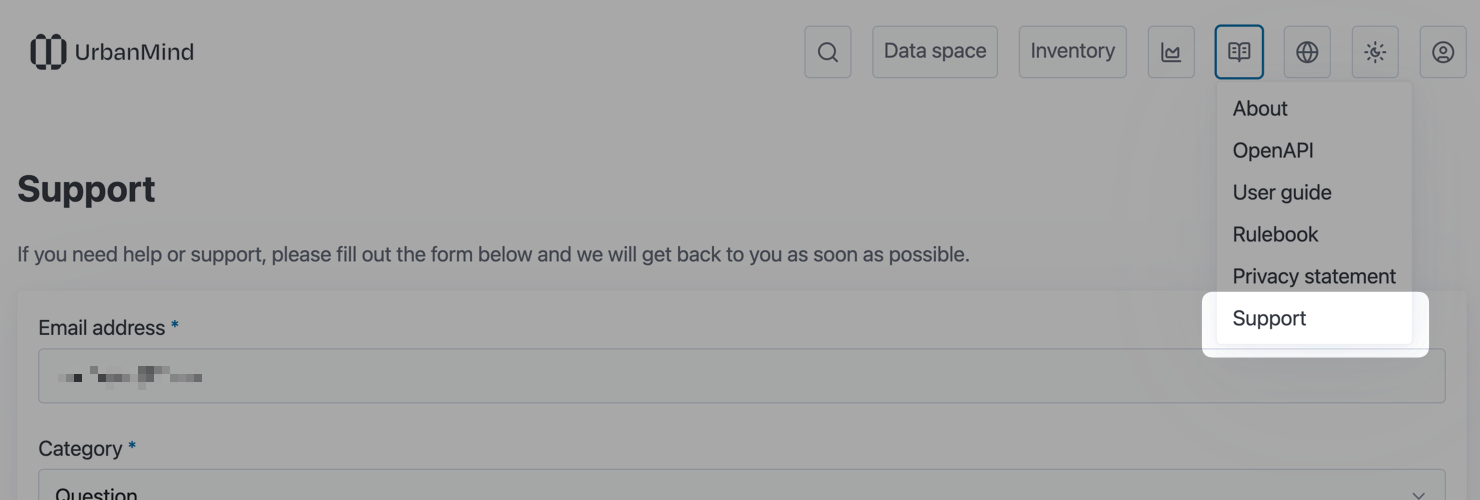
Links to UrbanMind's documentation can be found under the documentation dropdown in the navigation bar. Look for the open book icon, that is where you'll find it.
In addition to the UrbanMind landing page link where you can find some high-level details about the project itself there you should be able to find
- a link to the OpenAPI documentation for UrbanMind's JSON API,
- a link to this user guide,
- a link to UrbanMind's rulebook,
- a link to its privacy statement (PDF),
- and a link to the support form.
Chatbot
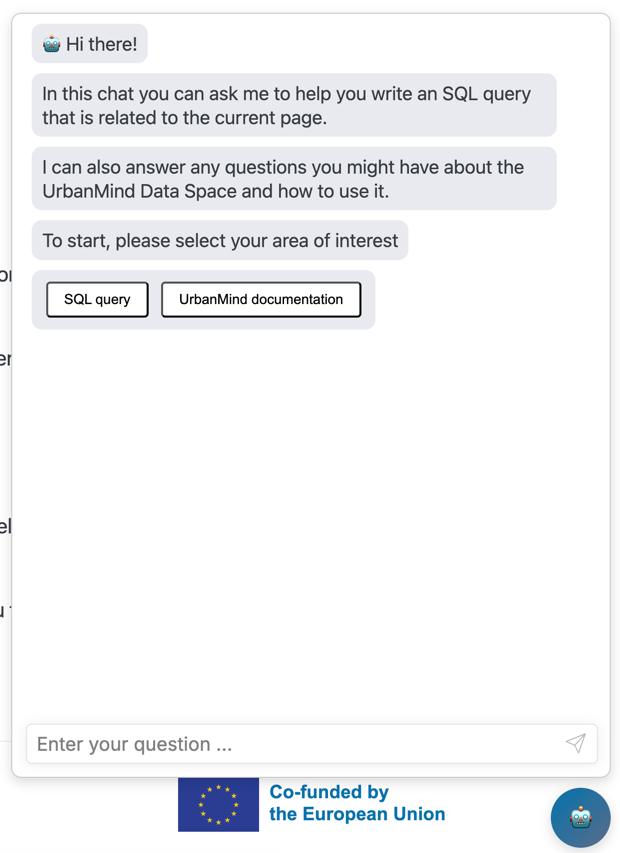
UrbanMind's participants should also be able to find a blue circle with a robot icon inside in the bottom right corner. Clicking on that circle should open up a chat window for interfacing with UrbanMind's chatbot.
The chatbot can assist you with UrbanMind's documentation, help you write various DuckDB SQL queries when you're building use cases, and interpret the results of those SQL queries.
Support
In case that you can't find the information you're looking for on any of the mentioned documentation pages feel free to send us an email to support@dataspace.urban-mind.eu.
Alternatively, in case that you're an existing participant, you can use the official support form which guides you through the process. As mentioned above, a link to the support form can be found in the documentation dropdown.